
Periods tab
View a detailed breakdown of your structure’s finances for each month.
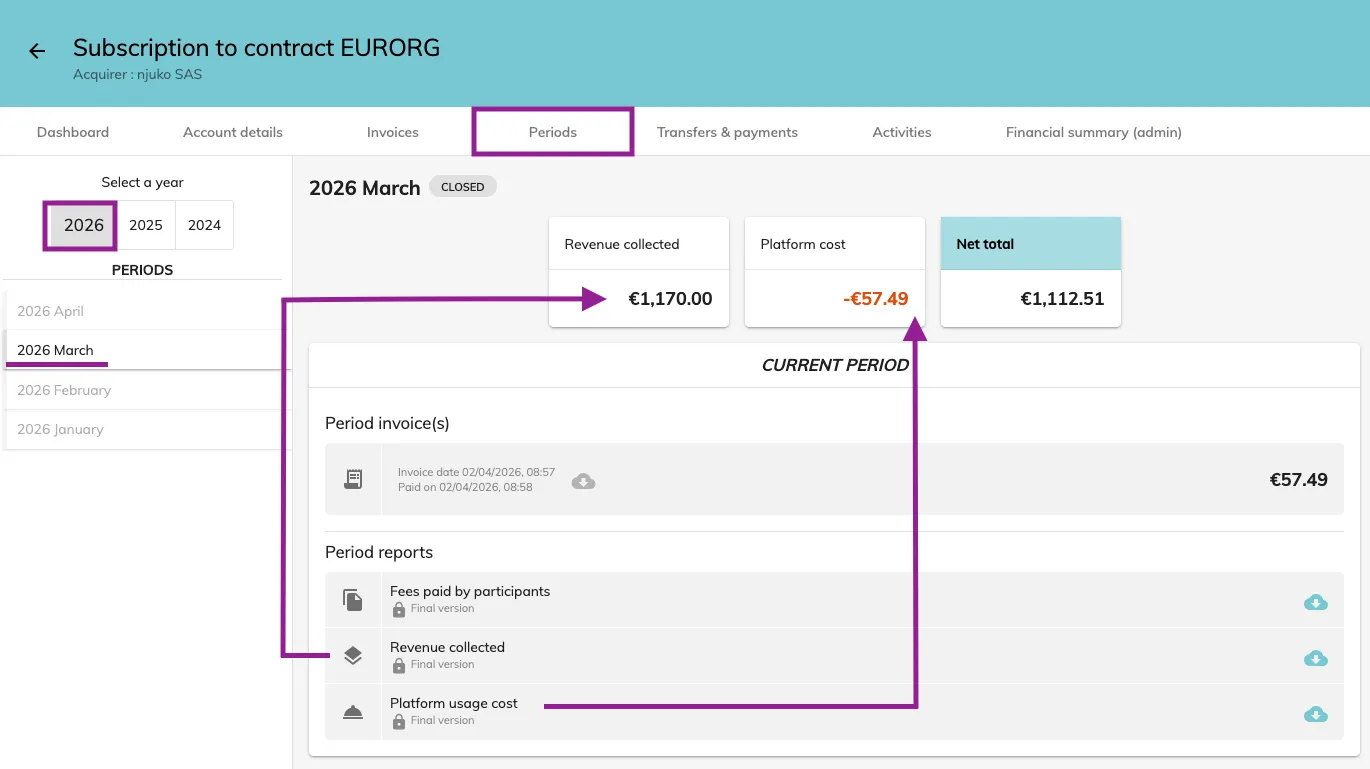
The Periods tab in your financial dashboard allows you to view a detailed breakdown of your structure’s finances for each month.
You can select the year and month on the left-hand side, and the following information will be displayed:
-
Revenue collected – total amount collected from participants
-
Platform cost – fees charged by the platform
-
Net total – the difference between revenue collected and platform cost
You can also download the period’s invoice(s) as well as three detailed reports:
-
Fees paid by participants
-
Revenue collected
-
Platform usage cost
Steps to view period details
-
Log in to the MY-STRUCTURE application
-
Go to the Financial dashboard
-
Under the relevant contract, click Accounting
-
Open the Periods tab
-
Select the year and month you want to review
-
View your revenue, platform cost, net total, and download invoices or reports as needed