
Invoices tab
Where to download your platform fee invoices.
If you collect payments yourself, platform fees are invoiced monthly.
You can download your invoices directly from the MY-STRUCTURE application.
Steps to follow
-
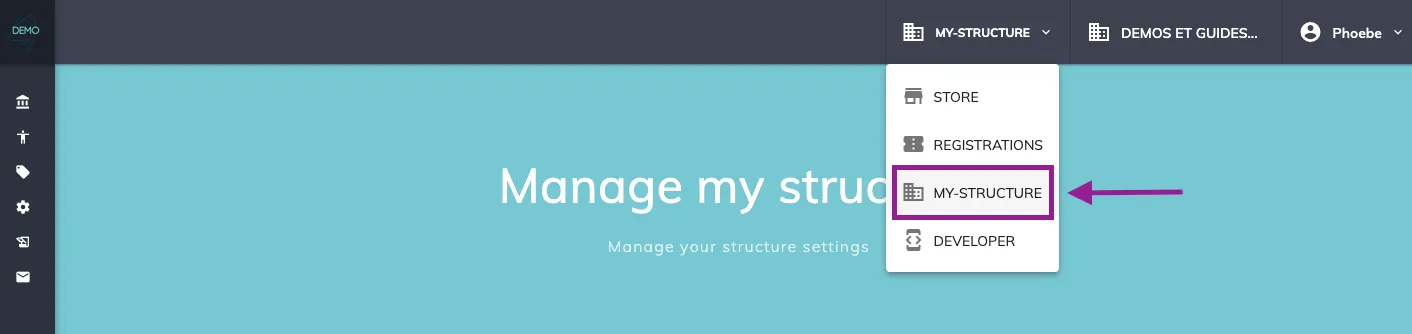
Log in to the MY-STRUCTURE application
-
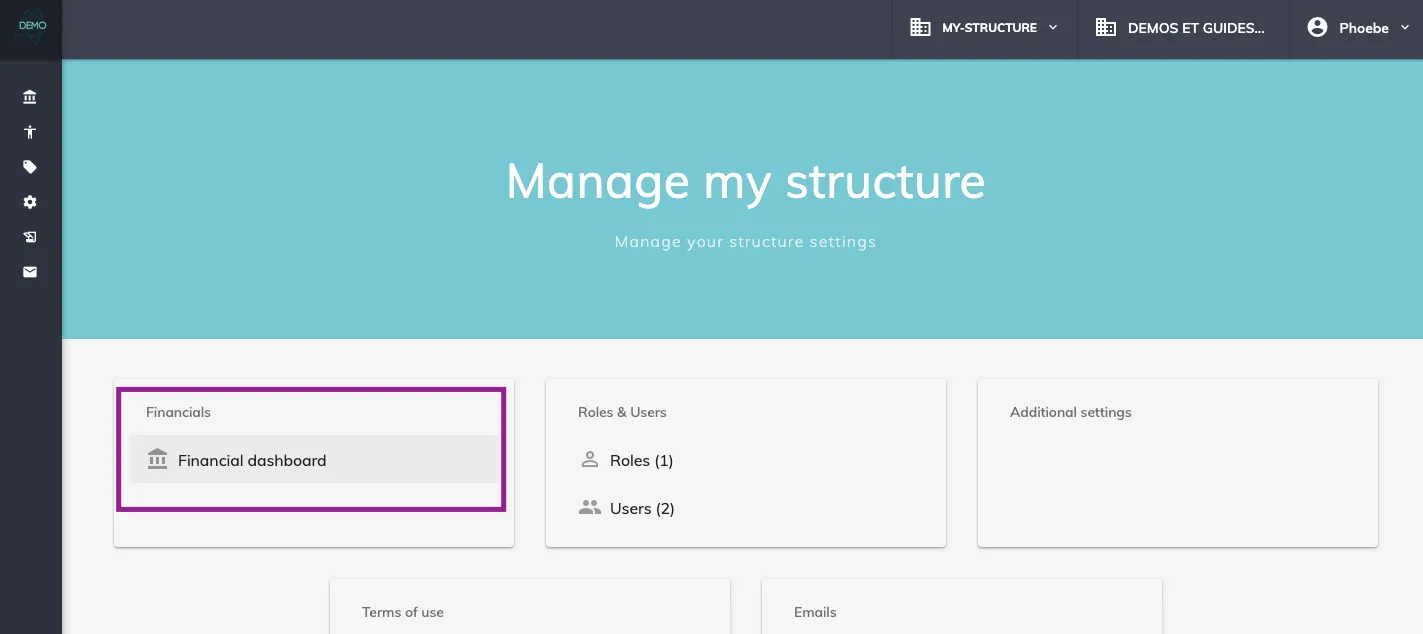
Go to the Financial dashboard
-
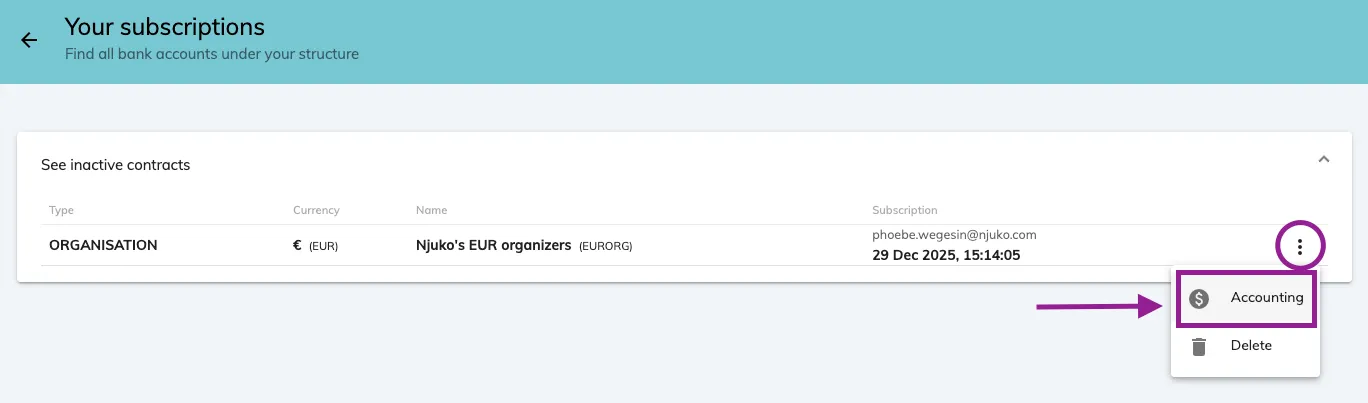
Under the relevant contract, click Accounting
-
Then open the Invoices tab
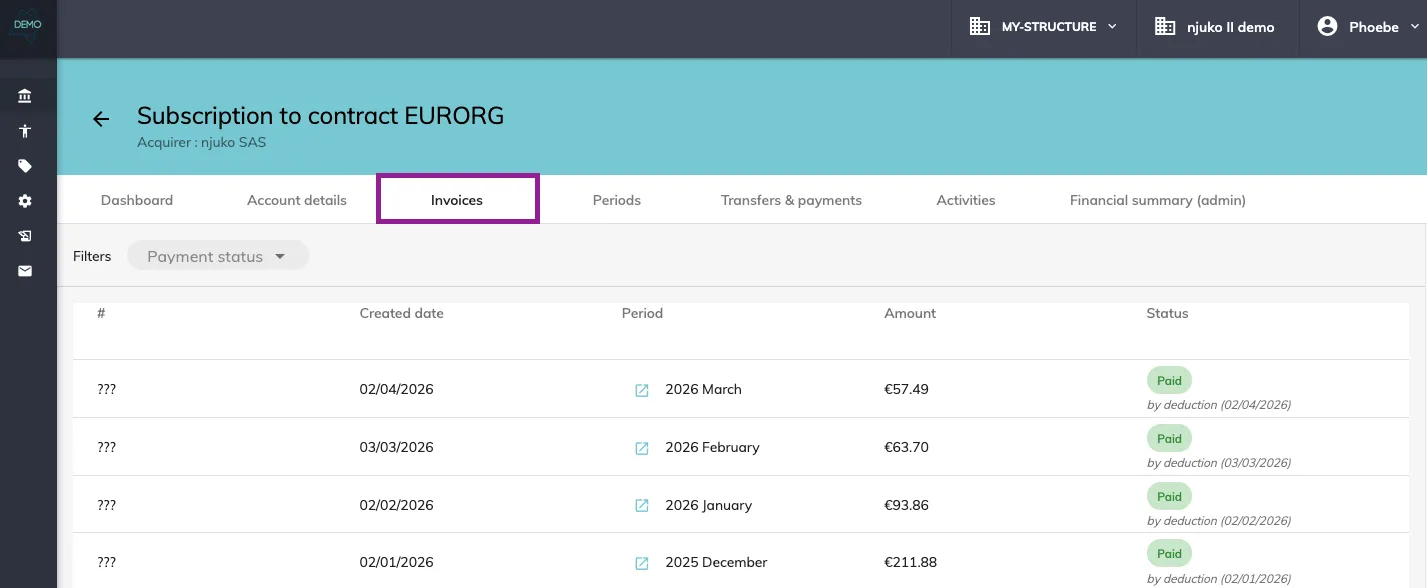
All your invoices are available in this tab.
To download an invoice:
-
Click the download button located to the right of the invoice
-
The file will be downloaded in PDF format
