
6. Legal Administrative Information (KYC)
Provide your KYC details, payment method, and payout information in MY-STRUCTURE to activate your editions and start accepting registrations.
Before switching an edition to live mode and starting to accept registrations, you must complete your administrative information in the MY-STRUCTURE application.
This information is required to:
-
activate your editions
-
configure payments
-
enable fund transfers (if njuko collects payments on your behalf)
You will need to provide:
-
The KYC (legal information about your organisation)
-
The payout method (if njuko collects payments for you)
-
A payment method
1. What is KYC?
In your organisation’s Financial dashboard, under the Account details tab, you will be asked to provide the legal information relating to your organisation. This information is required by law as part of a process called Know Your Customer (KYC).
KYC is a regulatory requirement designed to:
-
protect the community against fraud
-
prevent money laundering
-
verify the identity of organisations receiving payments
Most platforms authorised to process payments must comply with this requirement.
2. Steps to complete your KYC
-
Log in to the MY-STRUCTURE application
-
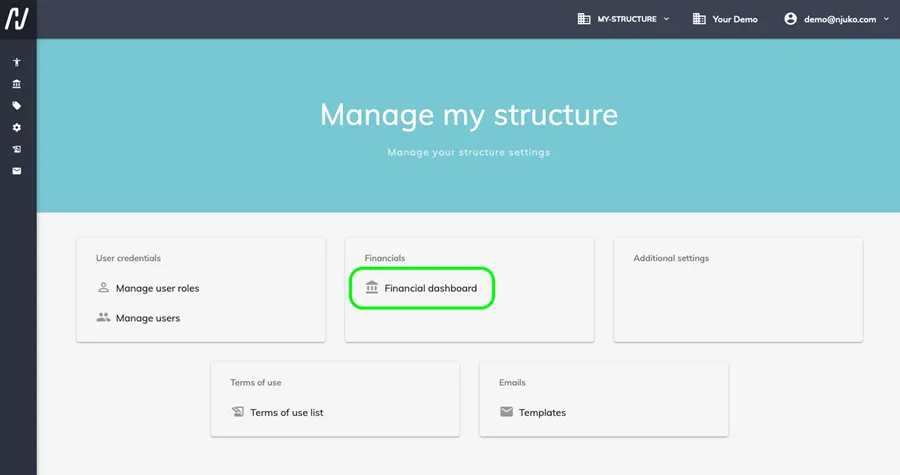
Go to the Financial dashboard
-
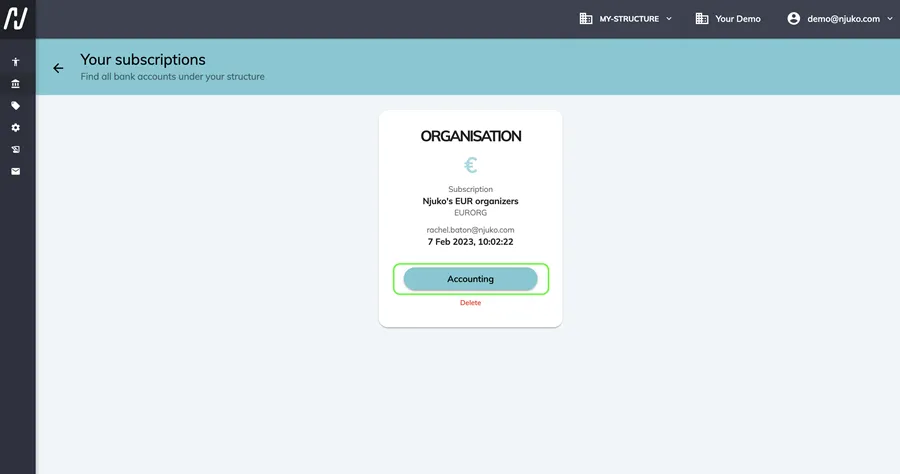
Click Accounting
⚠️ Important: if you have more than one contract, you’ll need to do this for each one of them.
-
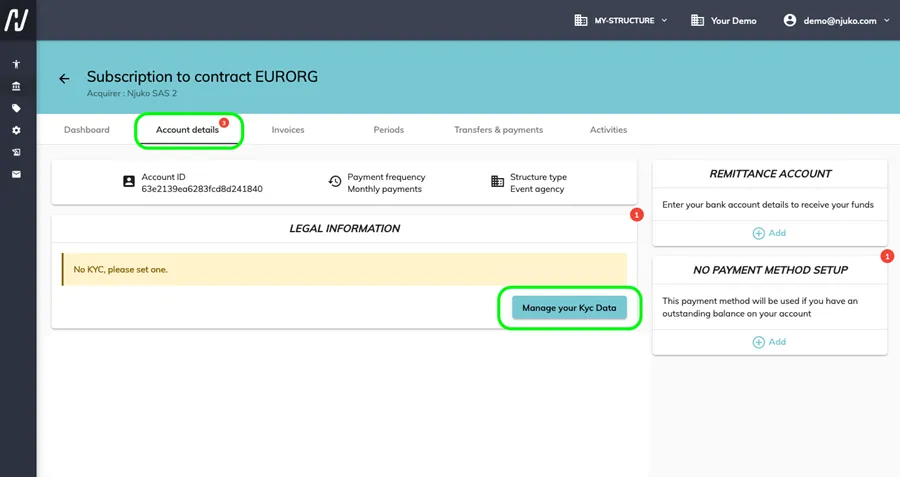
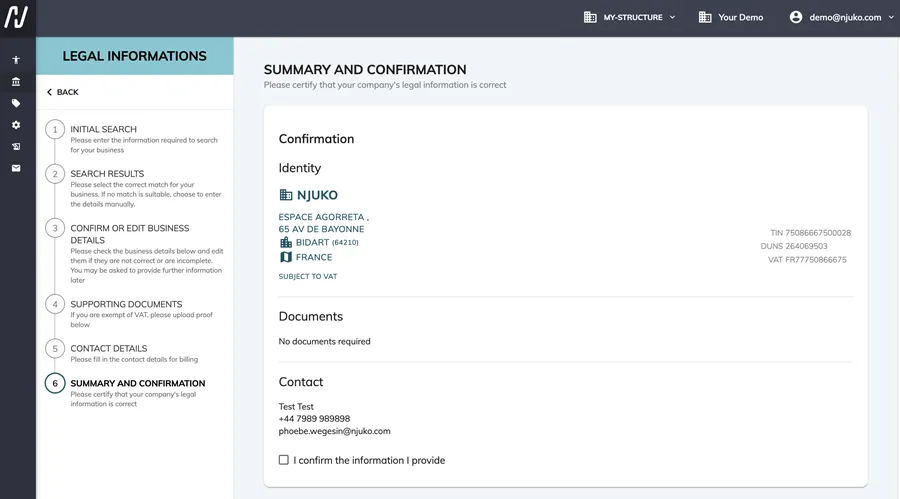
Open the Account details tab and click Manage your KYC data
-
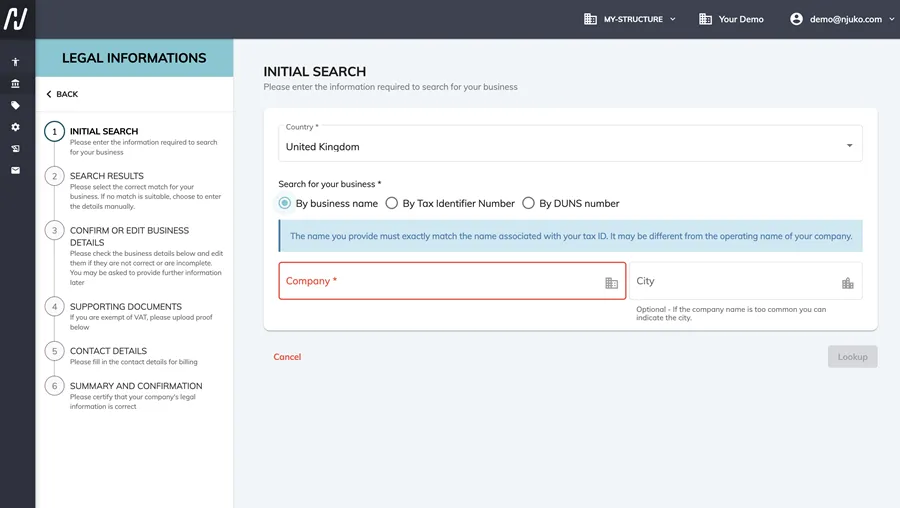
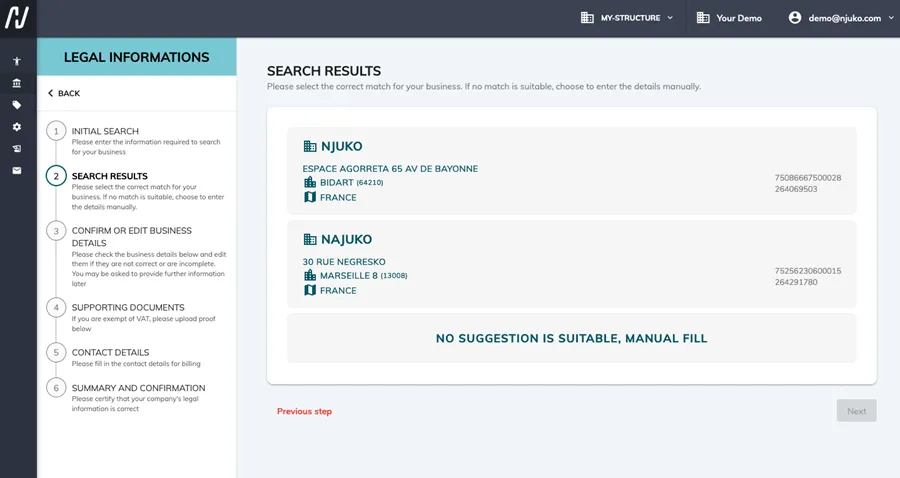
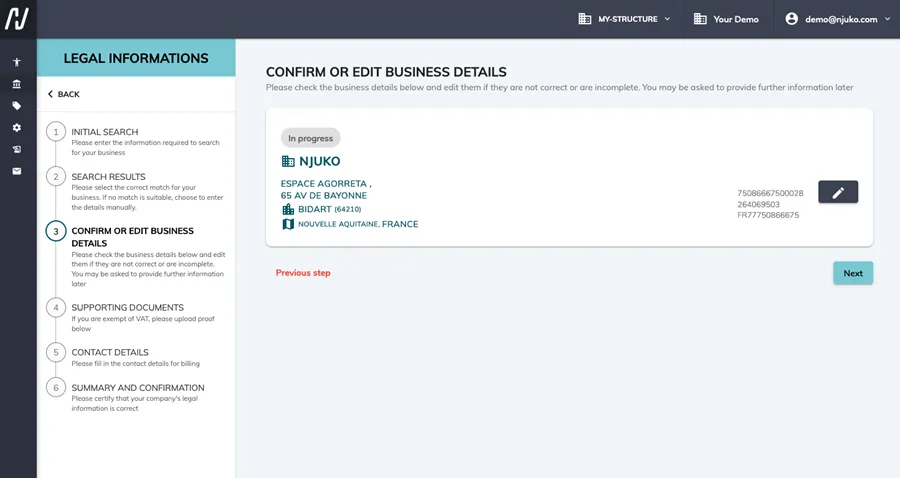
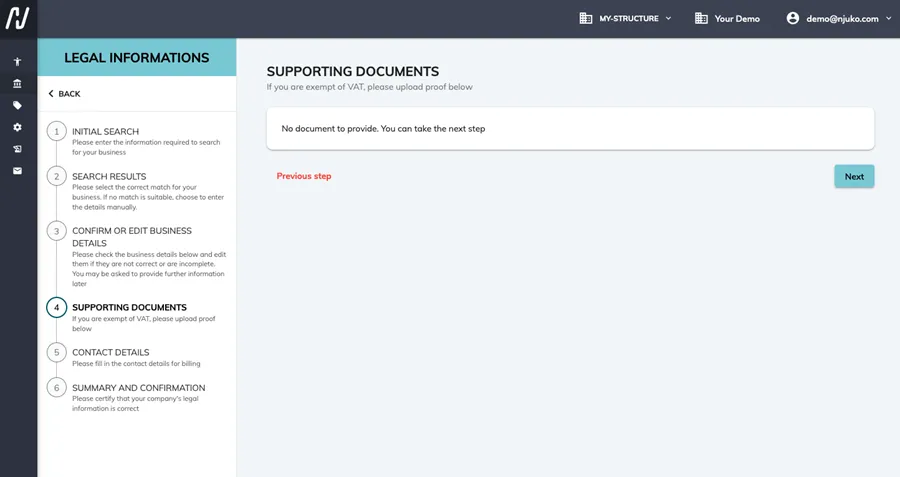
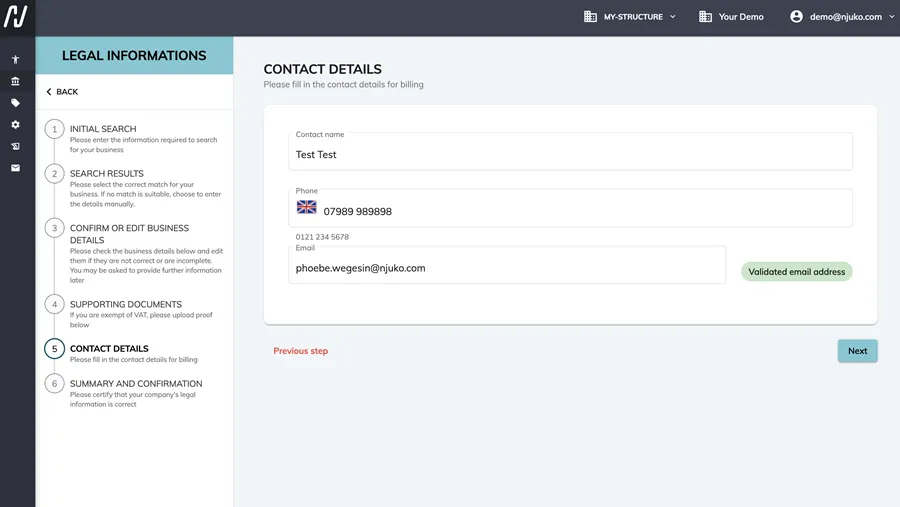
Complete the 6 requested steps
Once all the information has been validated, your organisation will be ready to receive payments and switch your editions to live mode.
3. Video guide
Watch the video guide below for a step-by-step walkthrough.