How to import options into a form field
Save time by adding your options automatically.
If you have a long list of options for a select field in your form, it’s much faster to import the list directly rather than entering them manually, one by one.
1. Prepare your file
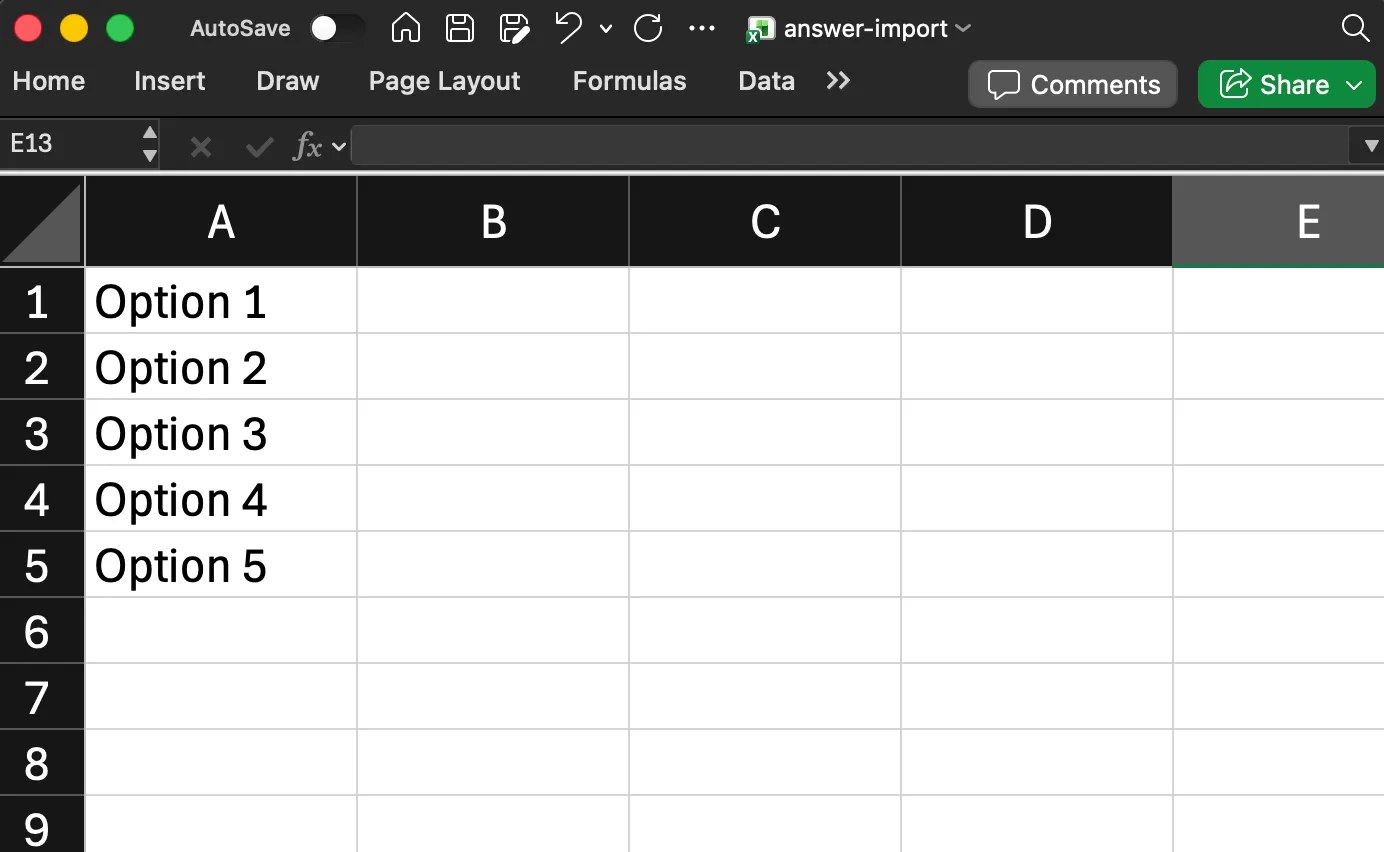
Create an Excel file with all your options in column A, making sure there are no blank rows between options.
2. Import options into your form field
-
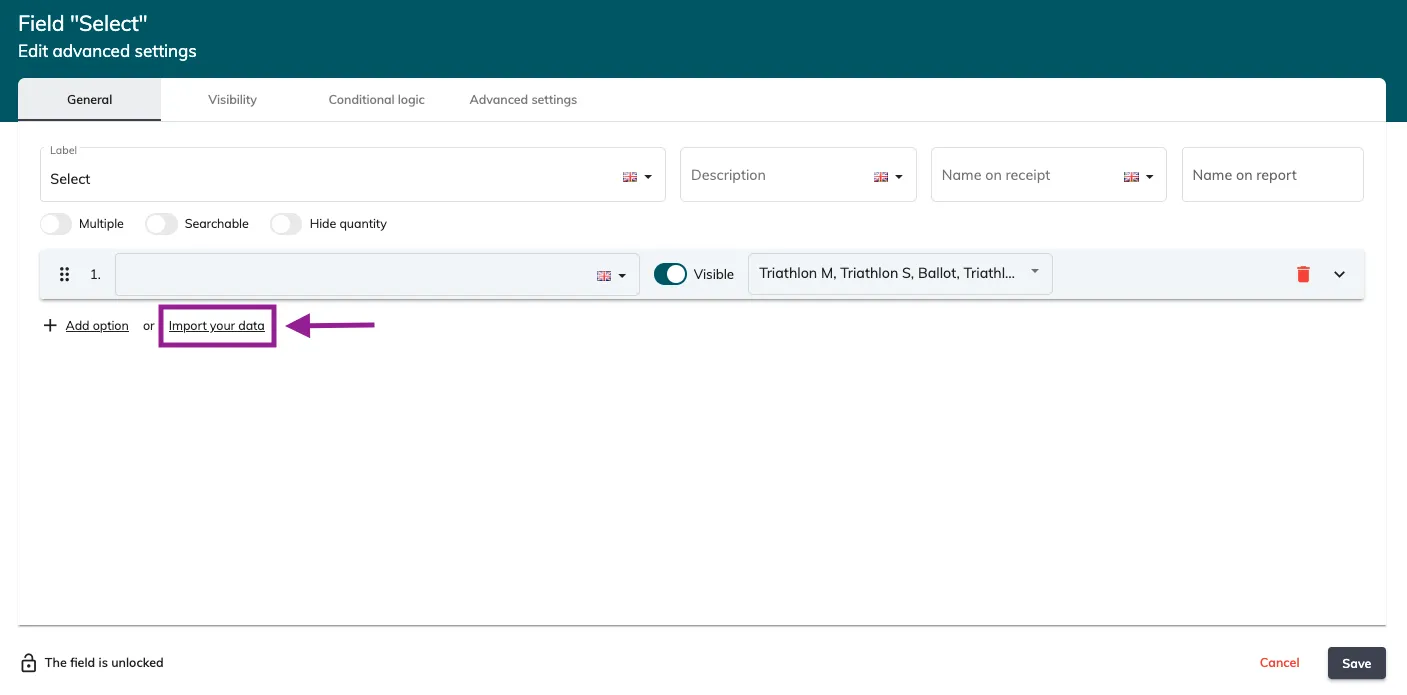
Edit your form and open the field where you want to add the options
-
Click Import your data
-
Upload your Excel file
All your options will be automatically added to the selected field, saving you the time and effort of manual entry.