
How to customise the columns in your registrations list
How to customise your registrations list columns.
1. How to customise the columns in your registrations list
When you are logged into an edition, you are able to customise the columns in your participants list section:
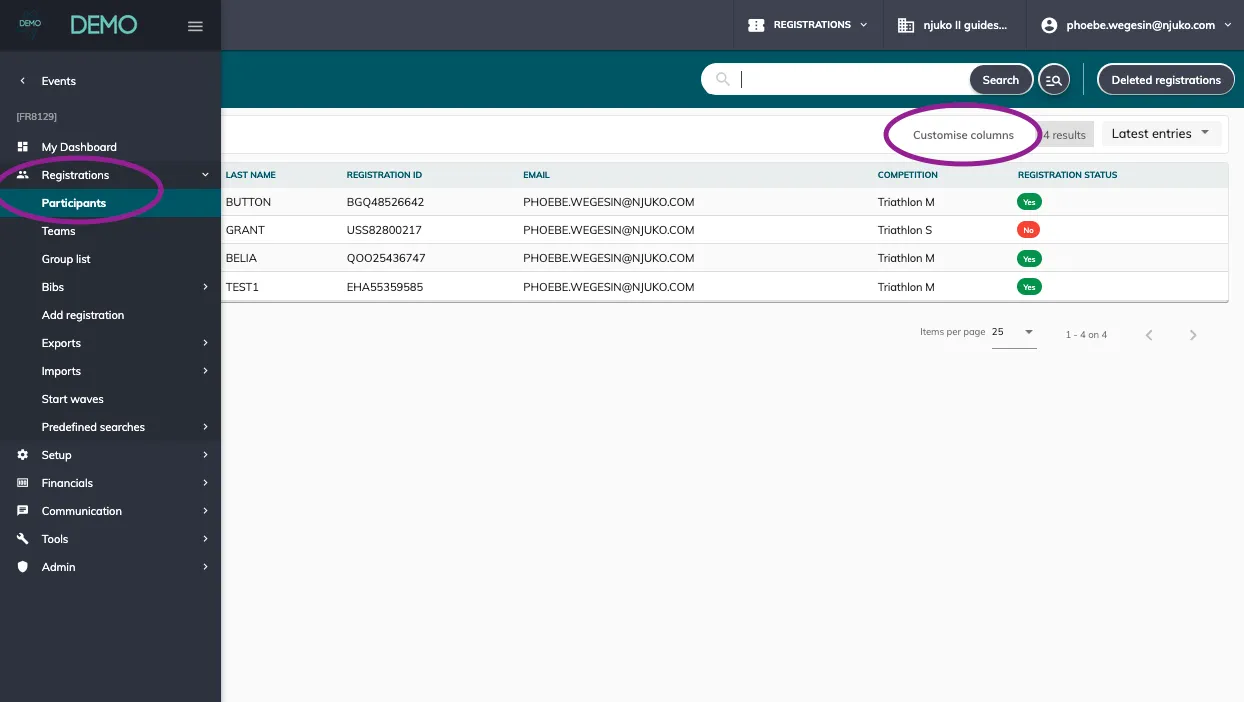
All you need to do is click on ‘customise columns’ to open up the menu where you’ll be able to add, delete and rearrange your columns.
Note that this view will only apply to your user - meaning that other users in your structure can customise their own view, which could be different to yours.
2. Video guide
Here’s a quick video guide on how to customise the columns per user in the participants list of each edition: